
Claude Code: Personal Experience
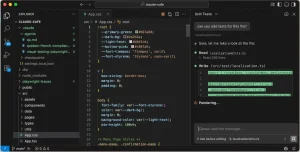
There has been a lot of hype about AI particularly in the development of websites with claims that AI will make web designers redundant. AI has been evolving incredibly fast with key players each releasing LLM modules rapidly. At the time of writing (20 April 2026) one AI implementation has emerged as a clear leader – Claude Code. I decided to try it in a real world scenario and see if the claims are valid.
The scenario I chose was to write a WordPress plugin that would enable booking and payment of services. I have used a paid plugin on previous client websites (BookingPress) so I had a clear picture of the requirements and this is critically important if you want to get the best out of AI. Naturally I got AI to help me write the REQUIREMENTS.md file. This document is referenced in my CLAUDE.md file as it is best practice to keep the CLAUDE.md file light.
My development environment is VS Code so I added the Claude Code Extension and also the PHP Debug extension. The other extension I added was Playwright Test for VS Code as I chose Playwright for automated testing. So on 5th April 2026 I signed up for the Claude Pro Plan for a month at the cost of £20 and began the development. Here are the lessons I learned during the process of developing what is a large and comprehensive plugin.
Claude Tokens and Session Limits
Clause gives you a 5 hour time slot and a limit to the number of tokens you can use within that slot. I hit my limit within 2 hours! Now I wasn’t asking a lot of questions and I was working through the requirements in manageable chunks so I was surprised that I hit the limit so quickly. It’s really frustrating to have to wait 3 hours for the next slot to be available. If I started a 9:00am I could work until about 11:00am then wait until the next session started at 2:00pm, only to hit the limit again at 4:00pm then have to wait until 7pm for the next session. It meant I could get about 5-6 hours of work done a day.
Then I hit the weekly limit! That was on Thursday and I had to wait until Sunday to be able to begin again. So I had worked a 20 hour week and, sure I had made significant progress, but I had used a lot of tokens.
Models, SKILLS and MCP Servers
I used Sonnet 4.6 throughout this development – I am not convinced that Opus 4.6 would have made a better job of it.
I watched a LOT of YouTube videos before I started and during my enforced non-coding periods. I had believed that Skills and MCP servers were the way to go until I watched this video which explains how tokens get used up quickly. So I removed the Novamira MCP server I had installed and the Playwright MCP server and dropped the idea of using the GSD Framework. Instead I went with The Command Line Interface (CLI) route so I now have:
WordPress CLI – used for deploying plugins
PlayWright CLI – used for automated testing
Also this post explained how to reduce the amount of token usage. It certainly helped and I became more productive but I still ran out of tokens. The end result was that I got a fully functional plugin after 40 hours of effort – that was two weeks of elapsed time. The experience was like working with a junior developer with short term memory loss. It was then I realised just how badly written the code was. The same code had been used to get a Customer ID from the database five times within the same PHP file. Had I employed a junior programmer I would be hitting him over the head with the keyboard by now (metaphorically) to impress on him not to make such a rookie error.
So a lot of refactoring had to take place. I did get what I wanted but it took a lot of effort on my part micro managing Claude to get the right result. In total it was about 50 hours of my time. Now if I charged a paltry £25 per hour for my time that is £1250 to create a plugin whereas the paid plugin I had used previously (BookingPress) was charging £139 per year. Would I recommend the plugin I had developed instead of BookingPress? No. That’s because BookingPress has spent hundreds of man hours developing their plugin and continue to support and develop it whereas I really don’t want to be doing that. I have moved away from coding to building websites and even though Claude is writing the code I did not enjoy the experience of micro managing it.
Update – Using the Gemma 4 Model
With Google’s release of Gemma 4 I wanted to see if it could match the Anthropic models like Sonnet for writing code. I installed Ollama and then I used that to launch Claude Code with the cloud model of Gemma 4
ollama launch claude – model gemma4:31b-cloud
Having previously used Sonnet to refactor my code I used Gemma to review the code and suggest improvements. I was hoping it would come back with only minor suggestions but instead it came back with a detailed plan covering three phases. What impressed me most is it seemed to have a much better holistic view of the plugin than Sonnet. Having reviewed the refactoring plan I set Gemma off to execute the plan. It took ages to implement each task and struggled to edit code correctly trying multiple different approaches. The result was it completely messed up one file and left syntax errors in other files. Sonnet 4.6 came to my rescue and fixed the bugs in minutes having no trouble at all with editing files. Based on this very limited experience I am definitely favouring Sonnet 4.6 for editing code but it may be worth using Gemma 4 to create plans and suggest refactoring options.
Lessons Learned
- Keep Claude.md minimal with references to documents like requirements and coding standards – set rules but keep it brief (refer to a Coding Standards document if you have one)
- Spend time to get the Requirements document complete, clear and unambiguous
- Try and identify reusable components at the outset – Claude is really bad at this.
- Use a Project_Status.md file for keeping track of progress
- Use the /context-audit skill to optimise your setup to reduce token usage.
- Follow best practices by using /clear after each task is completed
- Switch to Plan mode before each new task
- Use CLIs instead of MCP servers
- Get Claude to commit changes after each major update
- Create a Bash script to increment the version number and deploy the plugin
- Use Playwright codegen to create test scripts for regression testing